
Introducing Asset Trend Simulator — An iPhone App for Compound Interest Simulation
Why I Built It
When thinking about life planning, I wanted a tool that could answer questions like "How much can I spend each year?", "How much will I have at a given point in the future?", and "How much will I have left in retirement?" without much friction.
I had been collecting financial data in a spreadsheet — some entered manually, some semi-automated — to forecast my future assets. The accuracy was fine, but the upkeep was tedious. I also had a financial planner draw up life-planning tables a few times, but the detailed setup was cumbersome and the bar was too high for casual what-if simulations.
So I built Asset Trend Simulator: enter your household finances and a few simulation parameters, and instantly see how your net worth evolves. The calculation is not perfectly precise, but roughly on par with what I was doing in my spreadsheet, and good enough for personal use.
If you want to casually simulate your own asset trends, the app is on the App Store — give it a try.
Use Cases
- Retirement estimate — Enter current income, expenses, assets, and loans; check projected net worth at age 65.
- Sensitivity analysis — Compare net worth trajectories at 3%, 5%, and 7% annual investment returns.
- Scenario comparison — Save an "aggressive" and a "conservative" case, then switch between them on the chart.
- Loan impact — See how adding a mortgage or car loan shifts the net worth peak.
Key Features
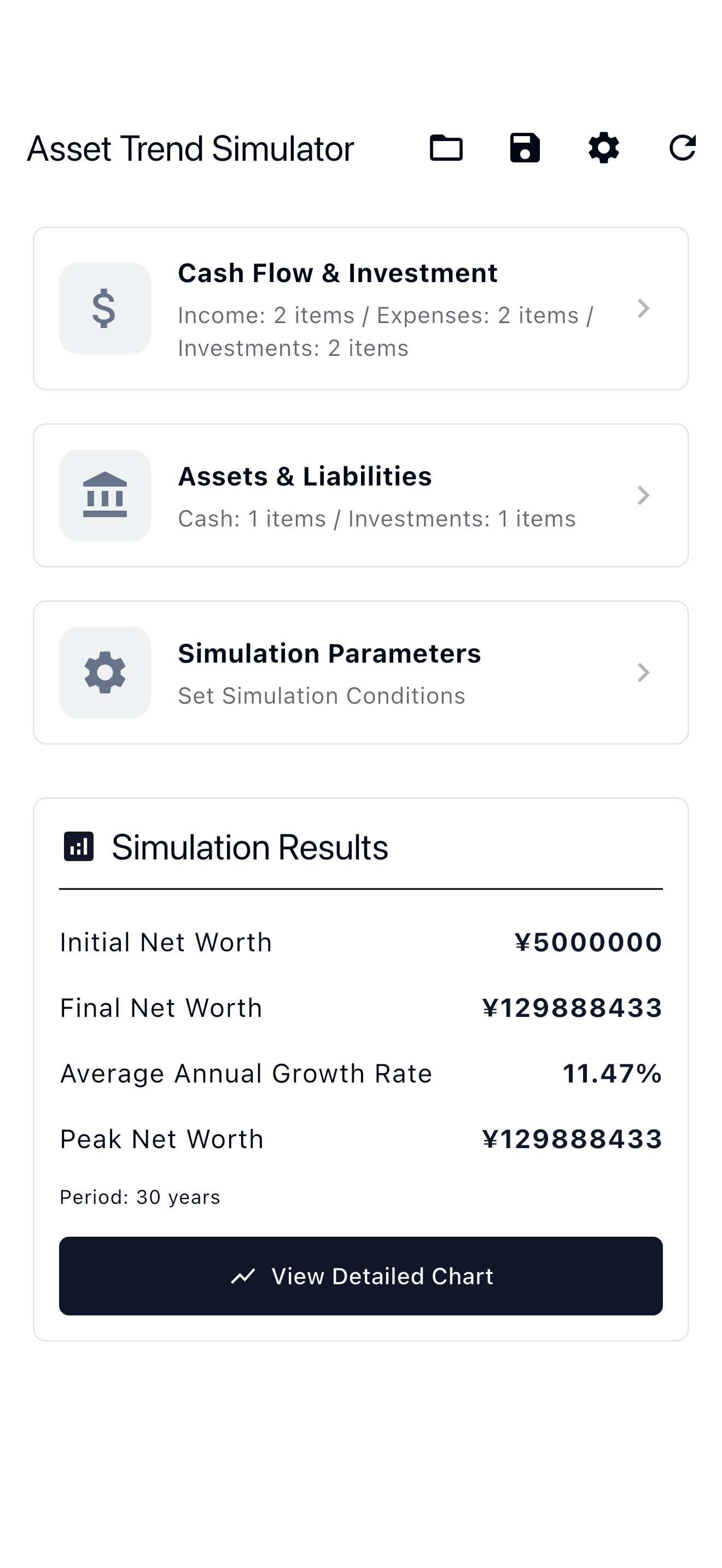
Cash Flow and Investment Input
Income, expenses, and investments each support many line items registered as monthly amounts.

Asset and Liability Input
Initial cash balance and investment balance set the starting values. Loans take principal, interest rate, and remaining term; the app computes the equal-installment monthly payment automatically.

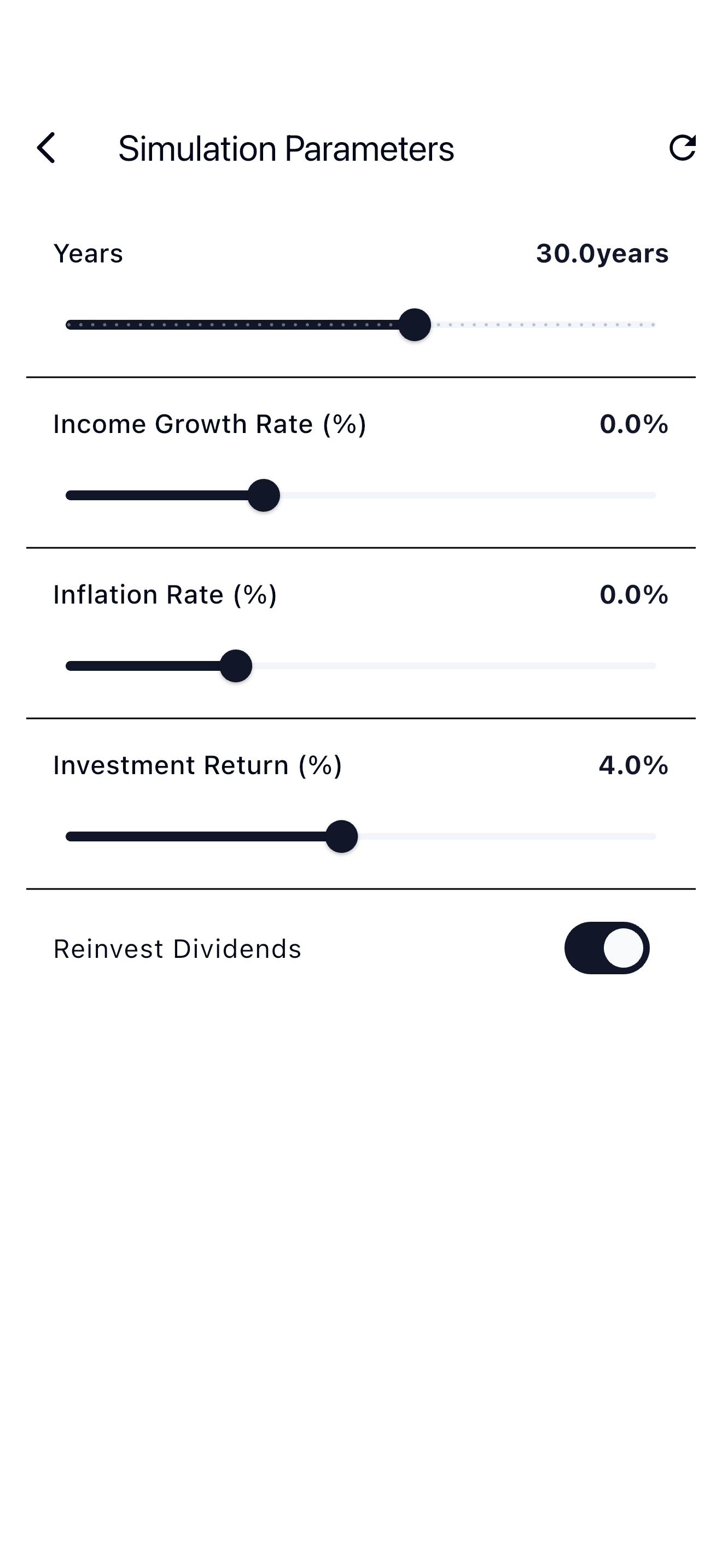
Simulation Parameters
Simulation period, income growth rate, inflation rate, investment return rate, and dividend reinvestment toggle are adjustable with sliders.
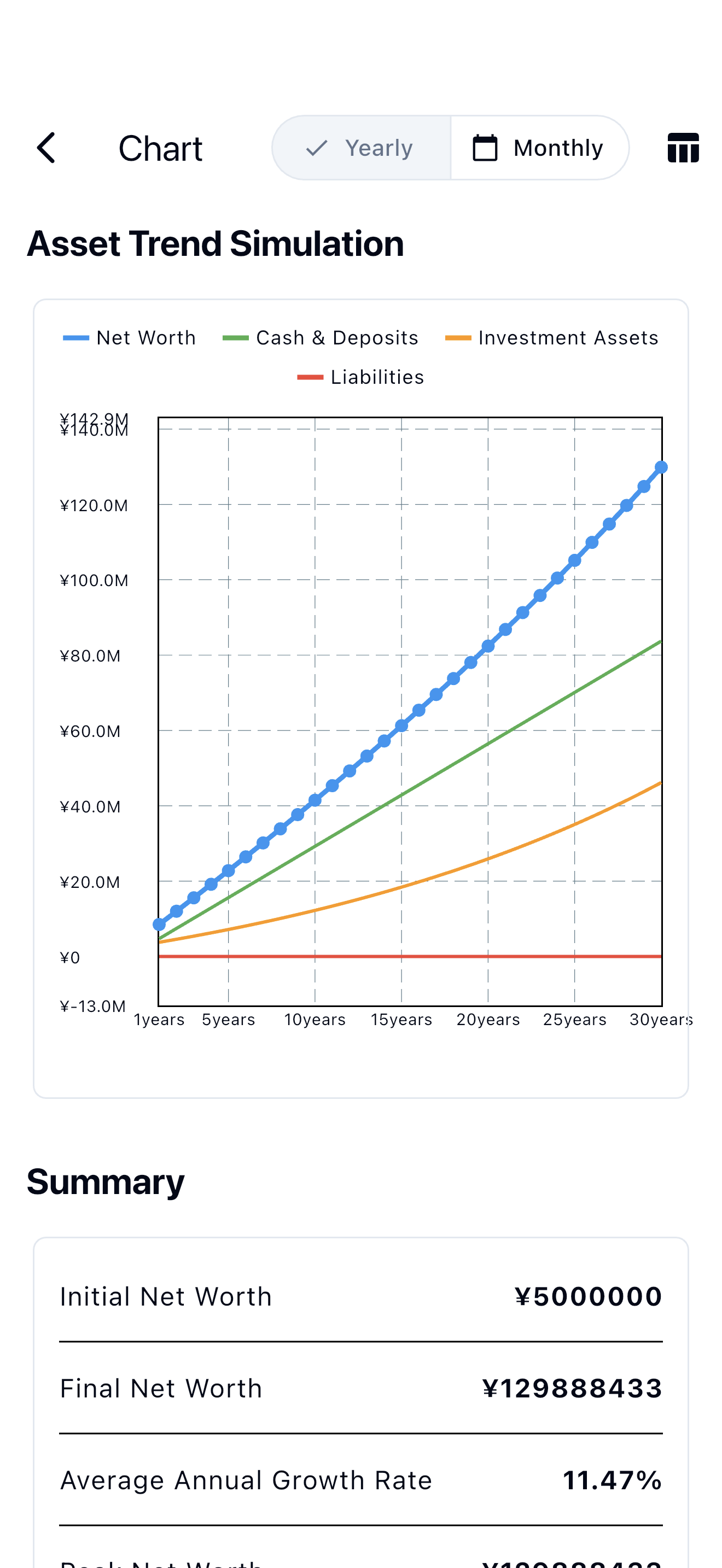
Asset Trend Graph
Four data series — net worth, cash, investments, and liabilities — render as a line chart. A toggle switches between annual and monthly granularity.
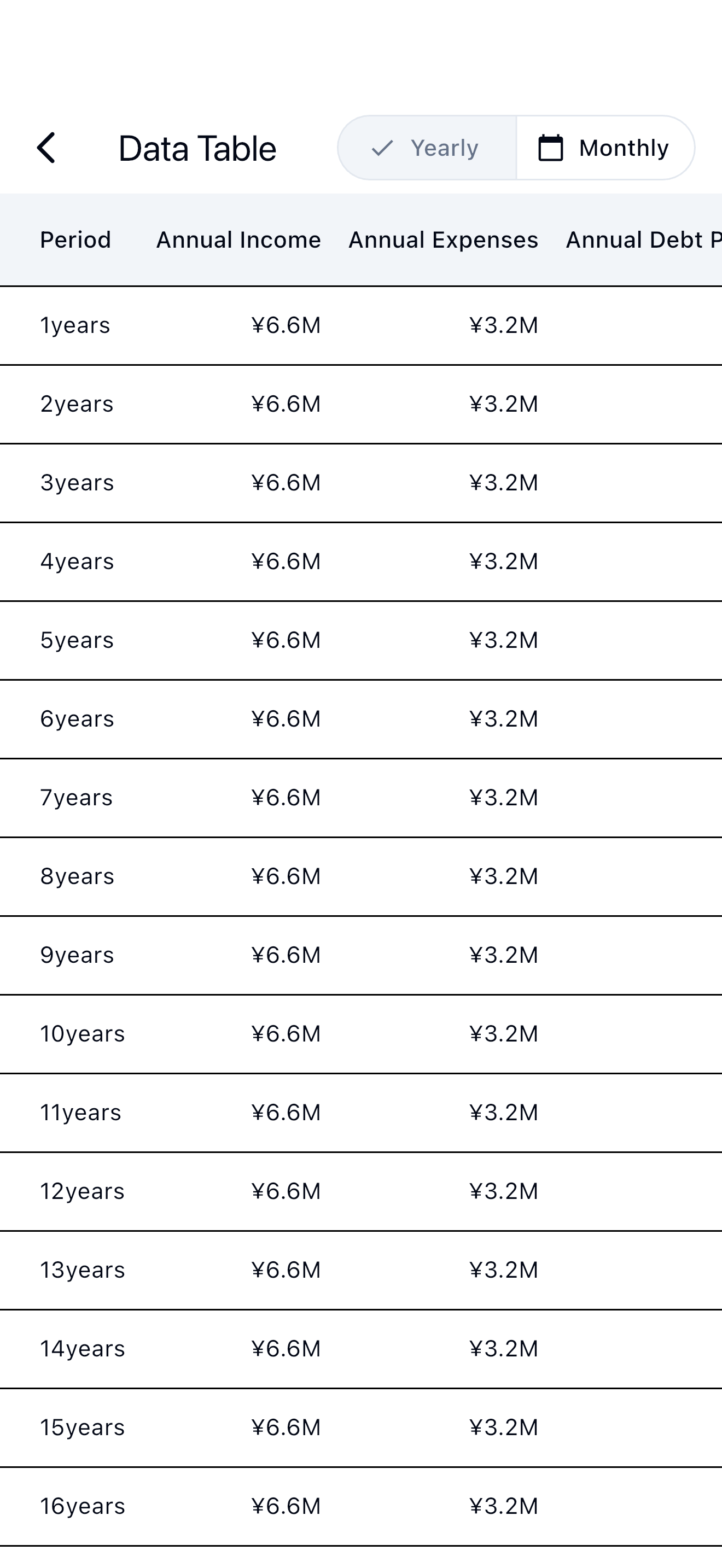
Scenario Save and Restore
Save any combination of inputs and parameters under a custom name as a SavedCase in Hive. Tapping a saved case restores all inputs.

Multi-Currency and Dark Mode
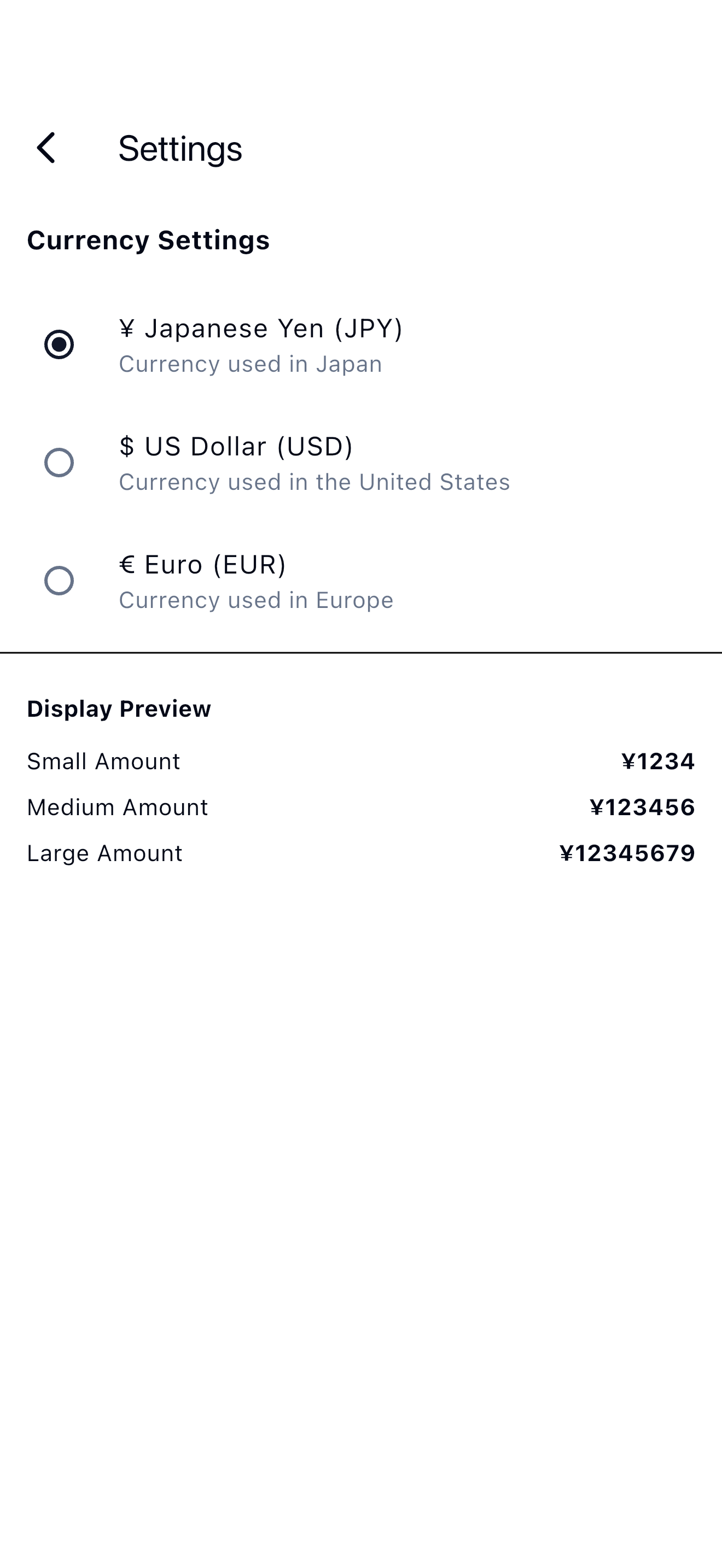
Switch the currency between JPY, USD, and EUR in settings; the app reformats all displayed values for the selected locale. The theme follows the system setting automatically.
Tech Stack
| Layer | Technology |
|---|---|
| UI | Flutter (iOS) |
| State management / DI | Riverpod + riverpod_generator |
| Models | Freezed + json_serializable |
| Persistence | Hive |
| Charts | fl_chart |
| Routing | go_router |
| Testing | flutter_test / mocktail |
The app follows a four-layer layout: data, domain, presentation, and core. The domain layer holds pure calculation logic with no dependency on Flutter or storage. Riverpod handles both dependency injection and reactive state.
How the Simulation Engine Works
The simulation steps through one month at a time, repeating for the configured period. The engine converts all annual rate parameters to monthly rates using the compound formula (1 + r/100)^(1/12) - 1. Each month involves four steps.
-
Update income and expenses — Income rises each month by the compounded monthly rate derived from the annual income growth rate; expenses rise by the monthly rate from the inflation rate. The monthly investment contribution stays fixed throughout the simulation.
-
Compound the investment portfolio — The engine adds the month's contribution to the portfolio first, then computes returns on the updated balance. With dividend reinvestment on, returns fold back into the portfolio; with it off, returns flow into cash instead.
-
Deduct loan repayments — Each loan's monthly payment follows the equal-installment (annuity) formula and the engine deducts it from the monthly cash flow until the loan term ends. Each repayment reduces the outstanding principal.
-
Compute end-of-month net worth — Net worth for the month equals cash (income − expenses − investment contribution − loan payments) plus investment balance minus outstanding loan balances.
Summary
I built Asset Trend Simulator because I wanted a simple way to start exploring life-planning questions. The calculation accuracy has limits, but for sensitivity analysis — "what happens if I change the return rate?" — it does the job well enough that I use it regularly.
Feel free to download it.
- App Store: Asset Trend Simulator




