
Implementing a form in React can be a bit tricky.
First, it might be helpful to understand that there are two patterns in React forms: controlled forms and uncontrolled forms. Reference: React Documentation
I still have many areas where my understanding is lacking, but since there are few examples of React implementations, I hope this article can provide some inspiration. (If you have suggestions for easier methods or improvements, I'd appreciate it.)
When I was researching for this implementation, I found it quite challenging as most examples only had one input.
What We'll Do
- Implement a form that handles multiple inputs
What We Won't Do
- Form submission... We'll only check if data is being retrieved correctly.
- Implementation using bind... I don't quite understand bind yet...
Implementation
Most examples of handling multiple inputs use bind. The examples in the documentation and most of the ones you find through search often use bind.
However, I don't quite understand this bind...
There were many examples using a simple, non-nested object state, but I wasn't sure what to do when using a nested object (cry).
That's when I found this article through extensive research. Stack Overflow - Best practice for ReactJS form components
So, I'll implement it with reference to the above.
The HTML looks like this.
<!DOCTYPE html>
<html>
<head>
  <meta charset="UTF-8" />
  <title>React Multi Input Form</title>
</head>
    <body>

    <div id="multi-input-form"></div>

    <!-- scripts -->
    <script src="path/to/react.js"></script>
    <script src="path/to/react-dom.js"></script>
    <script src="path/to/browser.min.js"></script>

    </body>
</html>
And the React code looks like this.
var FormApp = React.createClass({
    getInitialState: function () {
        // Prepare a nested object
        return {
            data: {
                name: '',
                email: ''
            }
        };
    },

    handleChange: function (event) {
        // Access the nested object's data
        var data = this.state.data;

        // Process values for each name attribute that triggered the event
        switch (event.target.name) {
            case 'name':
                data.name = event.target.value;
                break;
            case 'email':
                data.email = event.target.value;
                break;
        }

        // Update the state
        this.setState({
            data: data
        });
    },

    handleSubmit: function () {
        console.log(this.state.data.name);
        console.log(this.state.data.email);
    },

    render: function () {
        return (
            <form action="javascript:void(0)" onSubmit={this.handleSubmit}>
                {/* Name */}
                <label htmlFor="name">お名前</label>
                <input type="text" name="name" value={this.state.name} onChange={this.handleChange} />

                {/* Email */}
                <label htmlFor="email">メールアドレス</label>
                <input type="email" name="email" value={this.state.email} onChange={this.handleChange} />

                 {/* Submit Button */}
                <button type="submit">送信</button>
            </form>
        );
    }

});

ReactDOM.render(
    <FormApp />,
    document.getElementById('multi-input-form')
);
At the beginning, I said it was troublesome, but it seems quite simple now. Haha There doesn't seem to be anything particularly noteworthy.
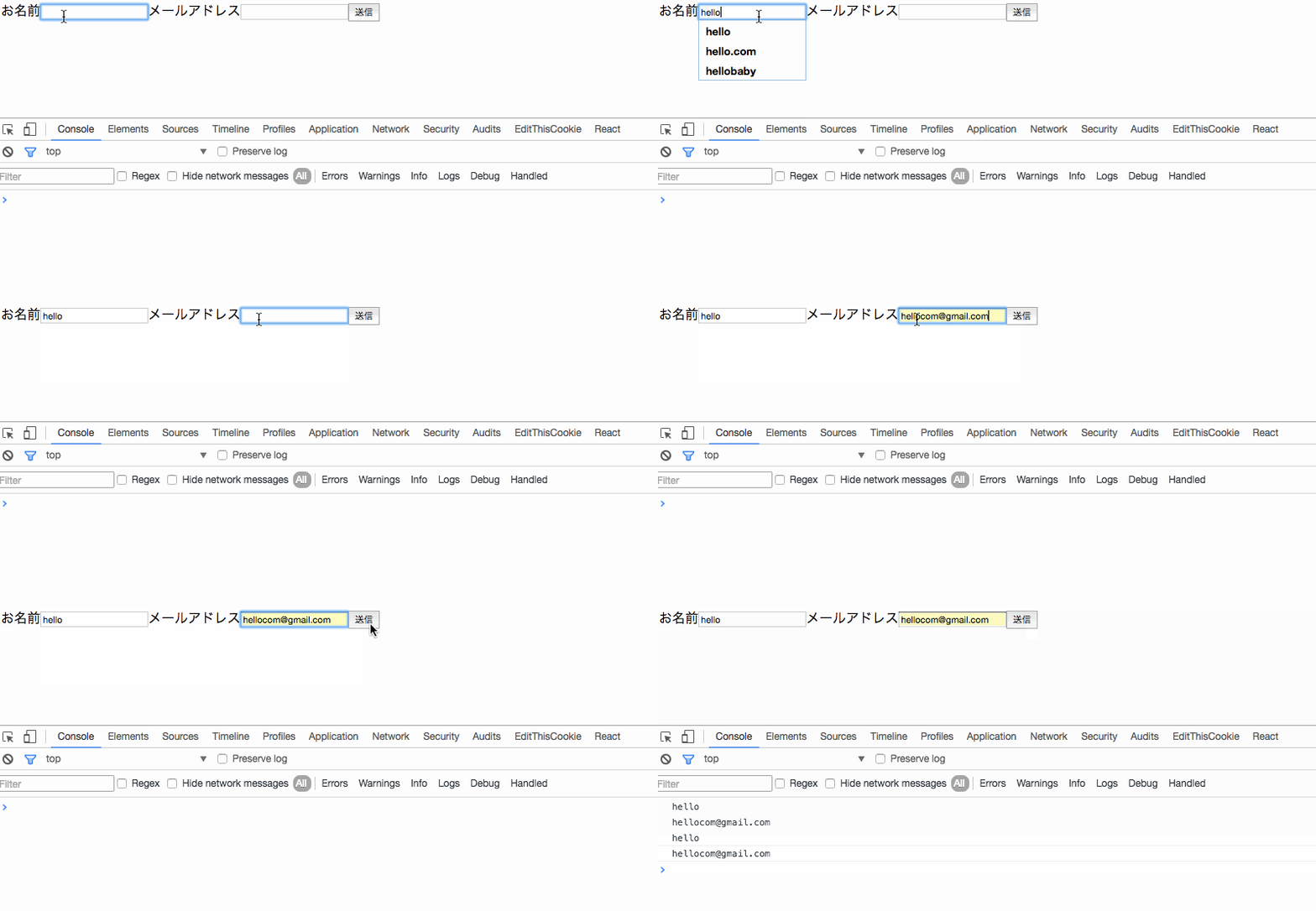
Here's how it works.
Impressions
While researching various React articles, I felt that there is a significant polarization between articles that only touch on React and those that are really trying React on the front lines.
As someone with a lack of foundational knowledge in JavaScript, it might be presumptuous to say, but I wish there were more articles focusing on the process.
Even with the same React, depending on the person, it could be ES something, strict mode, or different build environments... I'm stuck in the mire of the frontend, and I don't know what's what (_)
Every time I write about React, it seems to have a sense of despair, but writing React is fun. (`・ω・´)ゞ
References
- Stack Overflow - Best practice for ReactJS form components ... This might be the most helpful article this time.
- Stack Overflow - How do I edit multiple input controlled components in React?
- ES2015 以降で React 書くなら form 部品での onChange で setState するのもう全部これでいいんじゃないかなあ
- React.jsでFormを扱う




